
How to Get 100% Out of AdMobiSpy Analytics

How to Get 100% Out of AdMobiSpy
Hey there. There’s no shortage of analytics tools out there. Today I want to focus on the ad monitoring service AdMobiSpy. Let’s see what you can actually squeeze out of this spy tool.
First, a quick rundown for those who aren’t familiar. AdMobiSpy originally focused exclusively on mobile, but back in November 2017 the team started scraping desktop Facebook Ads as well. Right now, ad stats are collected from 23 ad networks and 6 pop-up networks. Data updates every hour. The database pulls in 27K creatives per day.
According to the creators, AdMobiSpy is useful for:
- media buyers;
- media buying agencies;
- affiliate network representatives;
- game and mobile app developers.
I decided to break down the functionality using three popular offer categories — physical products, nutra, and app installs. Let’s see what AdMobiSpy has to offer its users.
1. Physical Products in AdMobiSpy
Physical product offers perform well on Facebook Ads. AdMobiSpy has solid coverage here — the spy tool captures both mobile and desktop formats: banners, teasers, carousels, and dual formats (which include multi-format and mobile ads). At the time of writing, the database had over 1.5M ads from Facebook Ads.
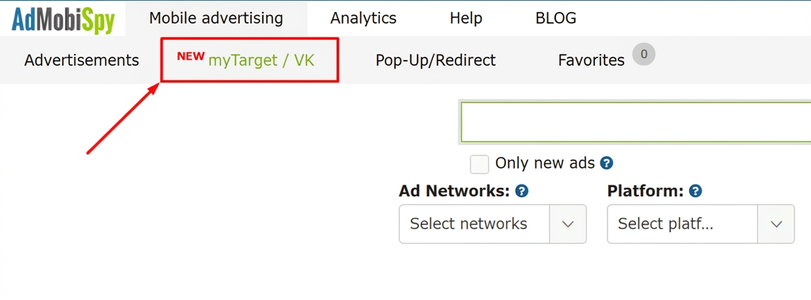
Let’s say you want to find out what products are performing well on Facebook Ads. You sign up for the service and click the Facebook Ads tab —
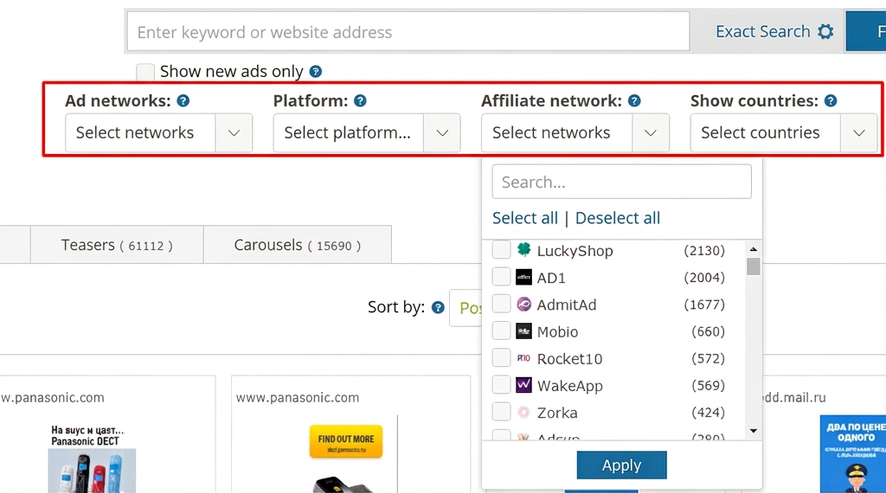
If you want to filter by platform (Facebook or Facebook Ads), device type (desktop or mobile), affiliate networks, and GEO, just set up your filters —

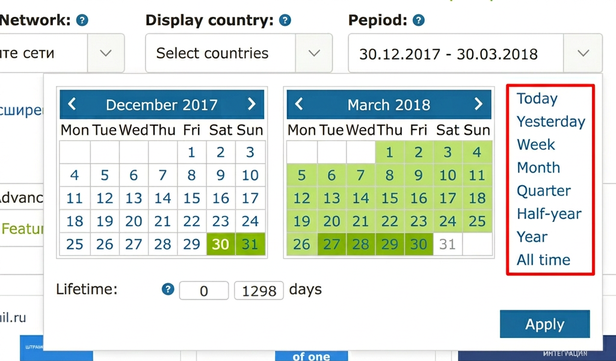
Then set a recent date range (up to one month works great) —

Sort ads by popularity descending, apply your settings, and browse through the format tabs —
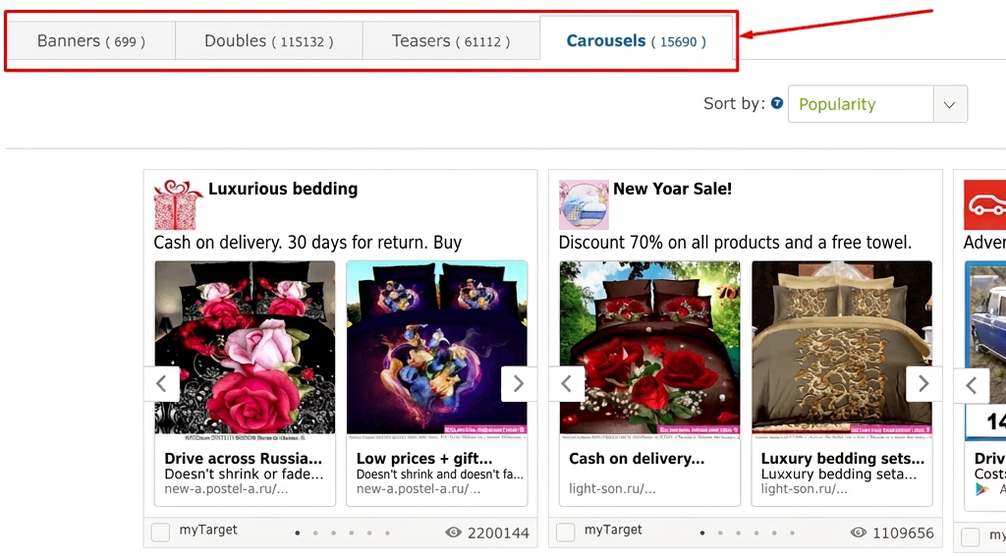

Product offers show up most often in the “Teasers” and “Carousels” categories.
The “View Count” metric shows how often the service’s bot detected that creative. This can be used as a rough indicator of how actively the ad is running.
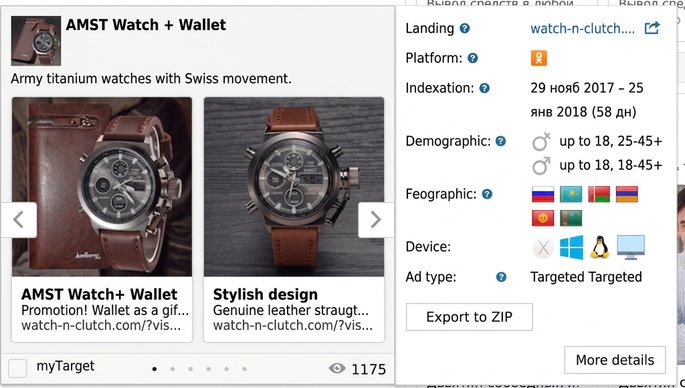
Find a product offer you like, click on the ad, check the targeting settings, and download an archive with images and copy —

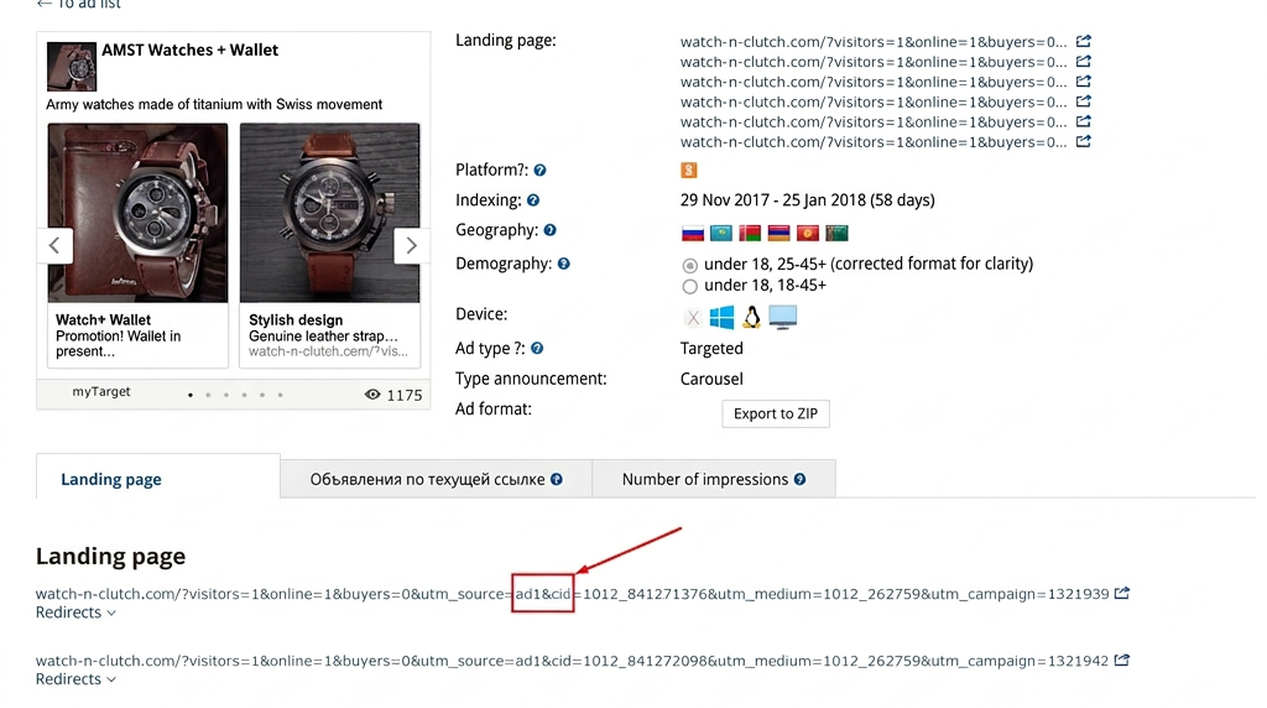
Want to know which affiliate network is running the offer? Click the “Details” button. You can trace the affiliate program from the redirect chain —

2. Games and Mobile Apps in AdMobiSpy
There’s a dedicated tab for app ad analytics.

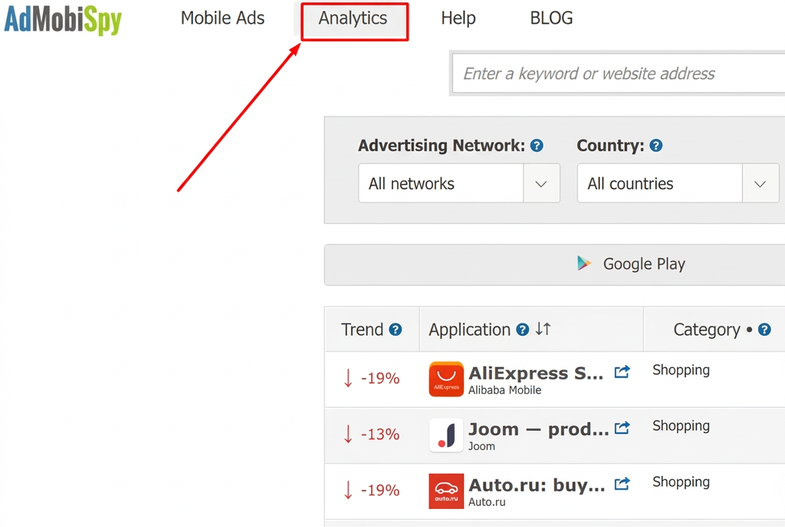
After a recent update, the service now lets you search for offers by developer. This makes monitoring the install market significantly easier.
Enter a company name and you’ll get a list of all apps from that specific developer that were promoted during the selected period.

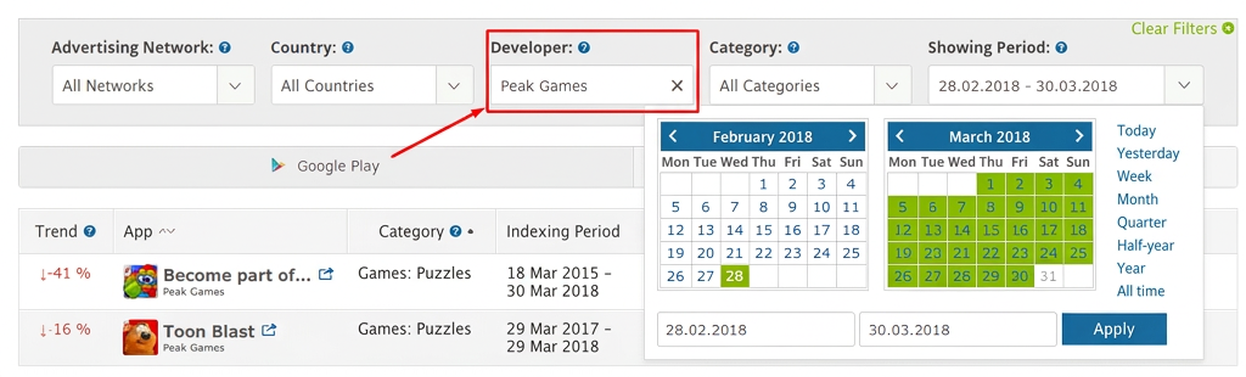
Pay attention to the “Trend” metric. It shows the relative dynamics of ad delivery. For example, “-16%” means fewer ads were launched for that offer over the past 14 days.
Click on an app name to land on the detailed stats page —
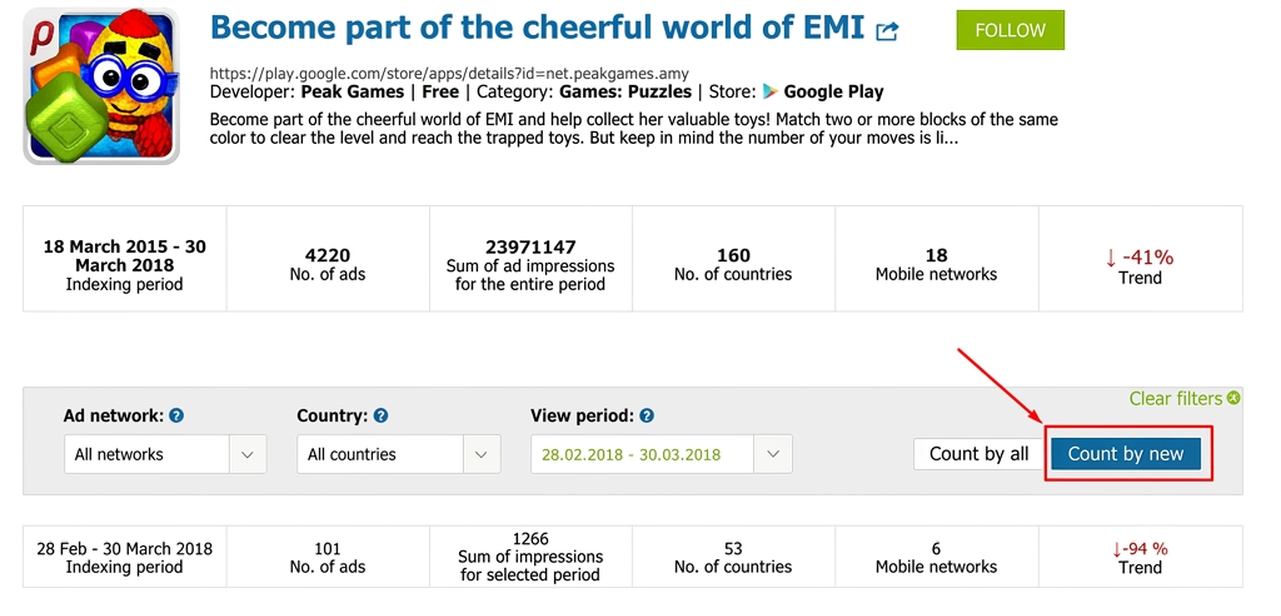
On the right there’s a “Count New Only” button. Enabling this filter shows data only for ads that launched within the specified time period.
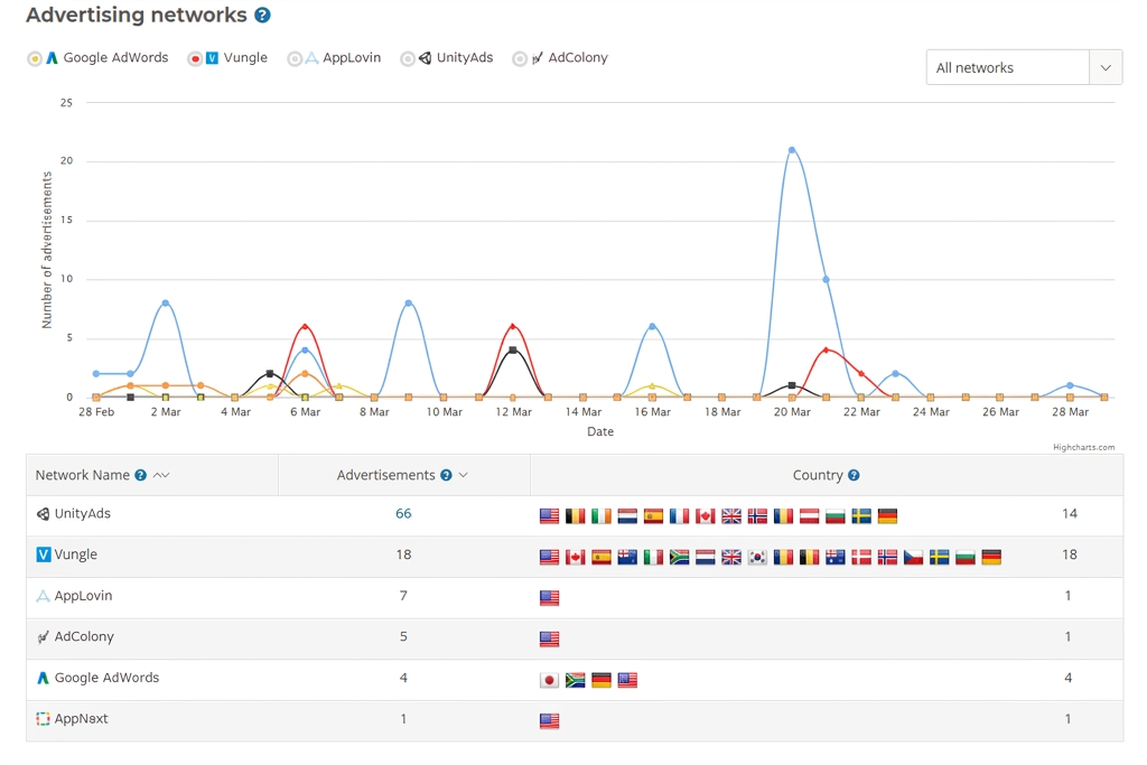
You can see which networks the ads ran on —

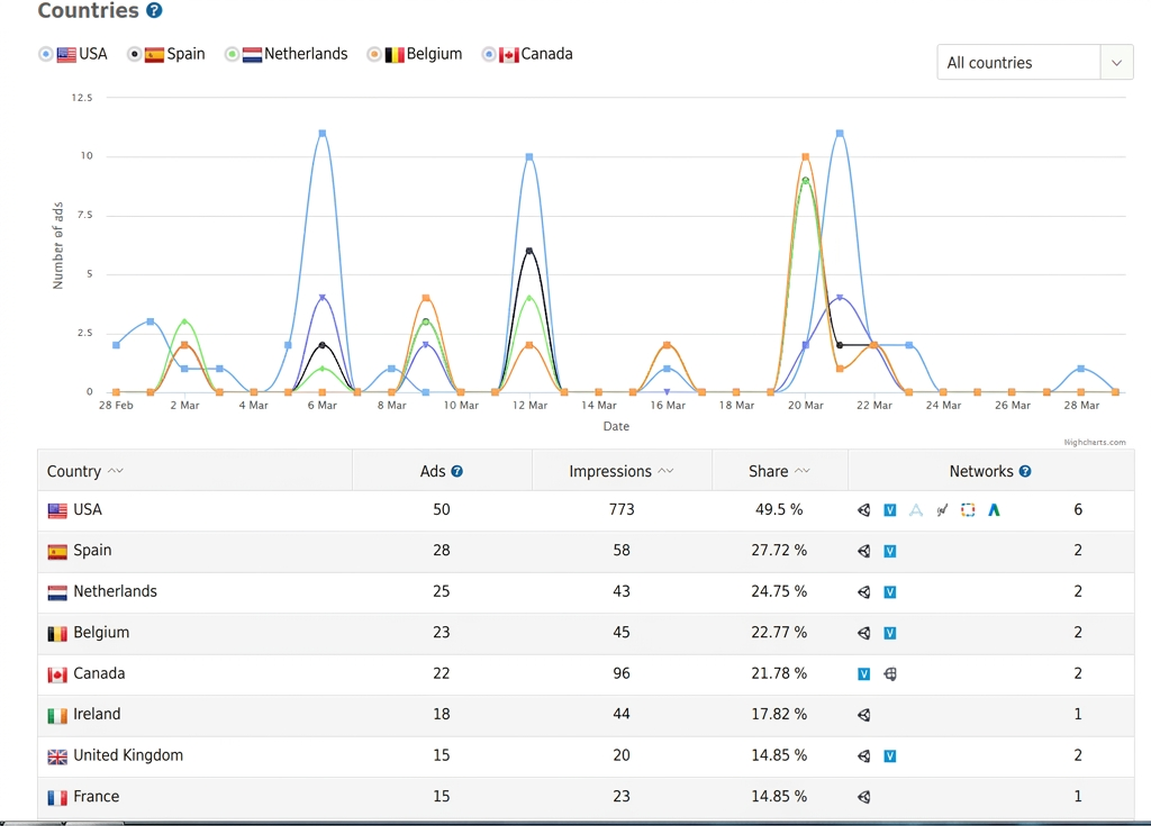
And which GEOs received the heaviest targeting —

It’s worth noting that AdMobiSpy tracks mobile advertising from top-tier networks — Chartboost, AdColony, Unity Ads, Vungle.
3. “Gray” Offers in AdMobiSpy
“Gray” offers are tough to push through Facebook Ads. But other ad networks have plenty of them. Look for nutra, casino, slots, and adult content under the “Mobile Ads” tab, specifically in the “Teasers” category —
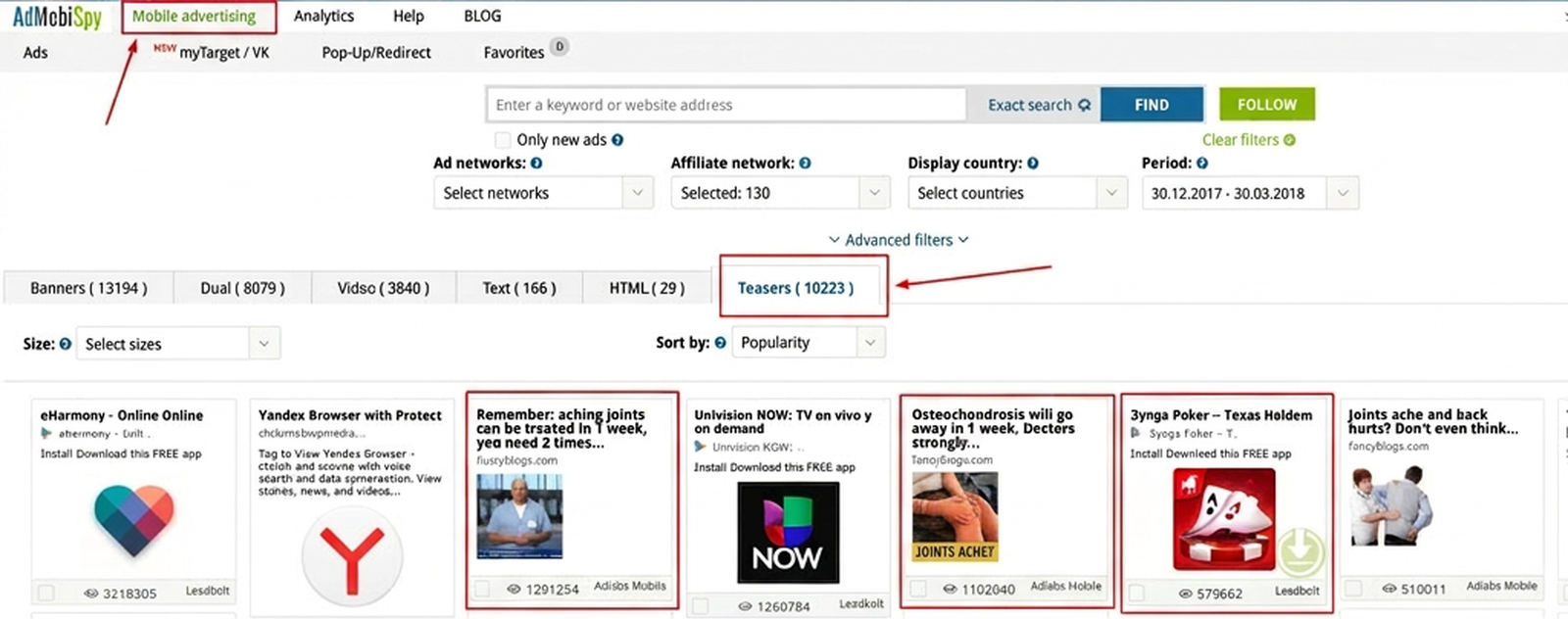

The search process is the same as with product offers.
In the detailed ad card, you can find out which ad network the creative ran in, which affiliate network carries the offer, and follow links to the pre-lander and landing page.

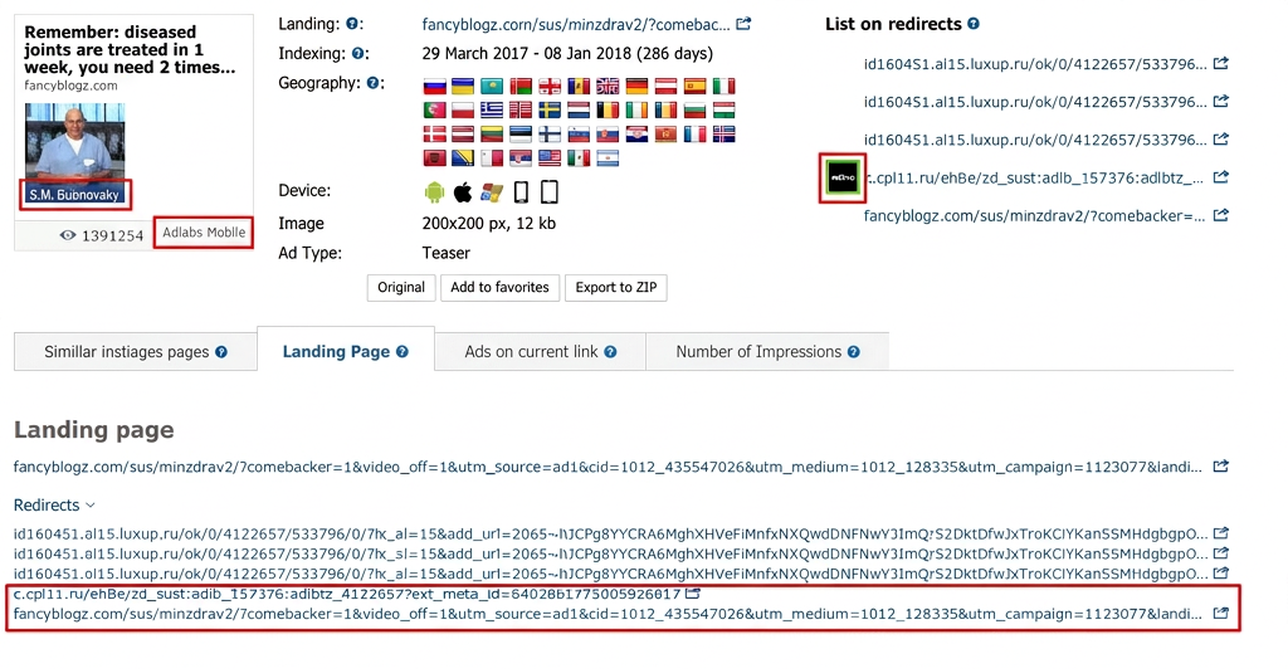
Here’s what a pre-lander looks like for an offer —


And here’s the landing page —

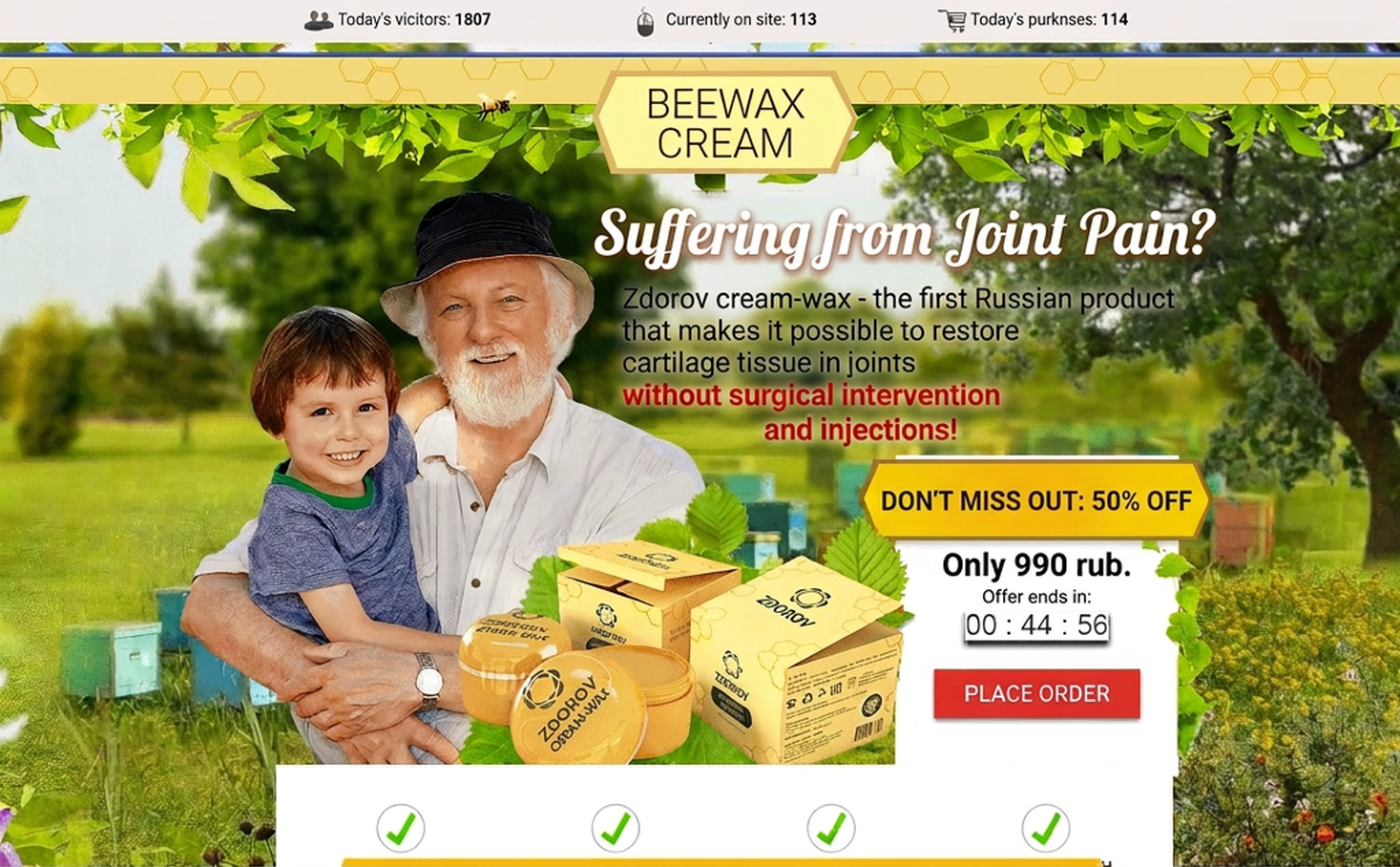
Pricing
AdMobiSpy is mid-market priced — nothing outrageous, and the solid results and reliable performance make it worth every penny.
There are 4 plans to choose from — “Freemium” (a demo with limited features), “Basic”, “Professional”, and “Enterprise”. I used the “Professional” plan, which runs about $130/month. Longer subscriptions are cheaper — pay annually and save 15%.
Verdict
AdMobiSpy lets you:
- identify which offers are running in which ad networks;
- find out which affiliate networks carry them;
- see targeting settings (GEO, demographics, device type);
- download creatives;
- view landing pages and pre-landers;
- find offers from a specific developer;
- analyze offer delivery trends;
- monitor new market entrants.
Verdict — a genuinely useful and well-built tool.




Great article, signed up, tested it myself — everything’s fire. Huge thanks for the insight!