
Where to Find and How to Create Ad Creatives
Today we’re talking about ad creatives — where to find them and how to make your own. This article is brought to you in partnership with Shakes.pro — the place to find the best product offers with high payouts and reliable payments.
Make Your Own or Use Someone Else’s?

A lot of people wrestle with this question. The answer is clear: make your own. Here’s why:
- Your own creatives will get higher CTR because they’ll be unique to the user — something fresh is more likely to get clicked, which also means a lower CPC.
- Creatives you find in spy services are typically already burned out — without solid blacklists and whitelists, you won’t be able to run them profitably.
- Other people’s creatives are best used as inspiration, not something to copy outright.
Where to Find Other People’s Creatives?
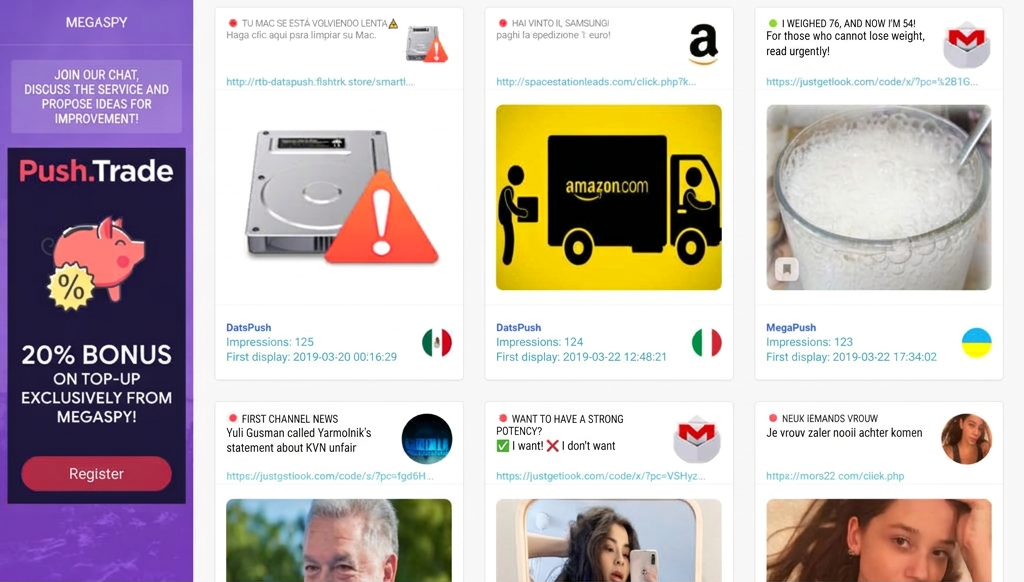
Option one: constantly monitor traffic sources and keep an eye on what ads are running. Option two: use spy tools — specialized services that track ads running across traffic sources. These are usually paid tools, but you can always use our free push ad spy tool — Megaspy — where you can find creatives for any offer and GEO at no cost. If you need a tool that covers other traffic sources as well, check out this article — vk.com/@shakespro-5-shpionskih-servisov-s-bonusami — Shakes.pro put together a roundup of spy tools with bonus deals.
How to Create Your Own Creatives?

Here’s a quick checklist for creating creatives:
- Decide on your campaign angle and identify the problem your audience has.
- Write copy that addresses that problem and is likely to generate strong CTR.
- Find a visual — photo or video — that matches your copy. For images, you can use Google Images, stock photo sites (free options include Stockvault, Pixabay, StockSnap, and Pexels), or spy tools.
If you want to make a video creative, ask the affiliate program for video assets — they usually have product footage you can work with. If they don’t, try searching on Google for this or similar offers. - Edit the visual and finalize the creative.
For images, Adobe Photoshop is the go-to — it has everything you need, and with Google and YouTube you can learn the basics quickly. There’s really no comparable alternative.
For video, Premiere Pro CC or Sony Vegas Pro are professional-grade options, though they take time to master. You can also use a simpler tool like Windows Movie Maker, which handles the basics — trimming, adding photos, audio, and text. - Create multiple versions with different angles and test them!
Conclusion:
You should absolutely make your own creatives — but you should also be monitoring what competitors are doing. The format and approach for creating creatives vary by traffic source: teasers need maximum CTR; Facebook works best with images/video/GIFs paired with copy that solves the user’s problem and passes moderation; search ads need text highlighting product benefits; and display banners work best as GIFs or static images with a clear value proposition and call to action. Never rely on a single creative — always make several versions with different angles and test them against each other.




Discussion
0