AdPartner Ad Network Review
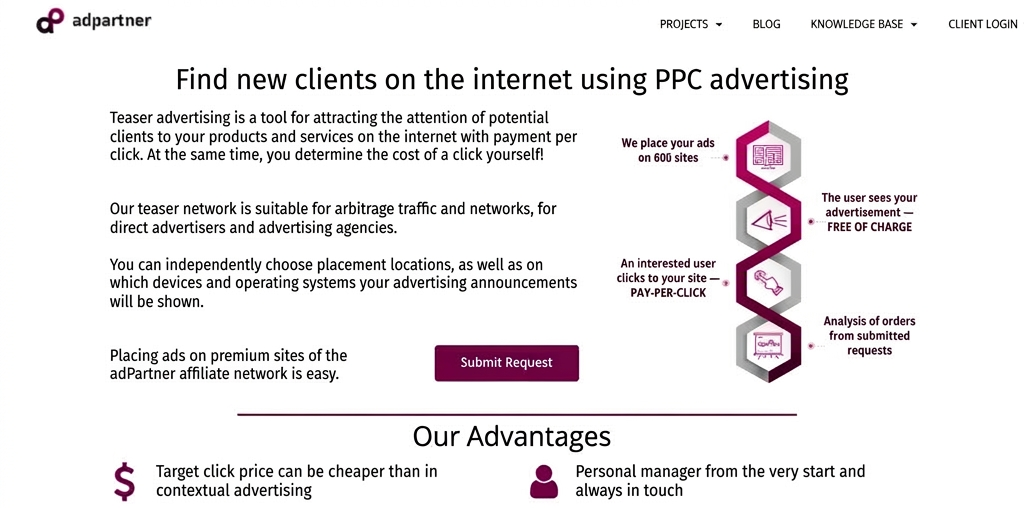
Today we’re reviewing the ad network AdPartner. This is a Ukrainian ad network working with teaser ad formats. In this review we’ll show you how to set up an ad campaign, and we’ll walk through balance top-up options, audience reach, targeting options, and the moderation process.
Audience:
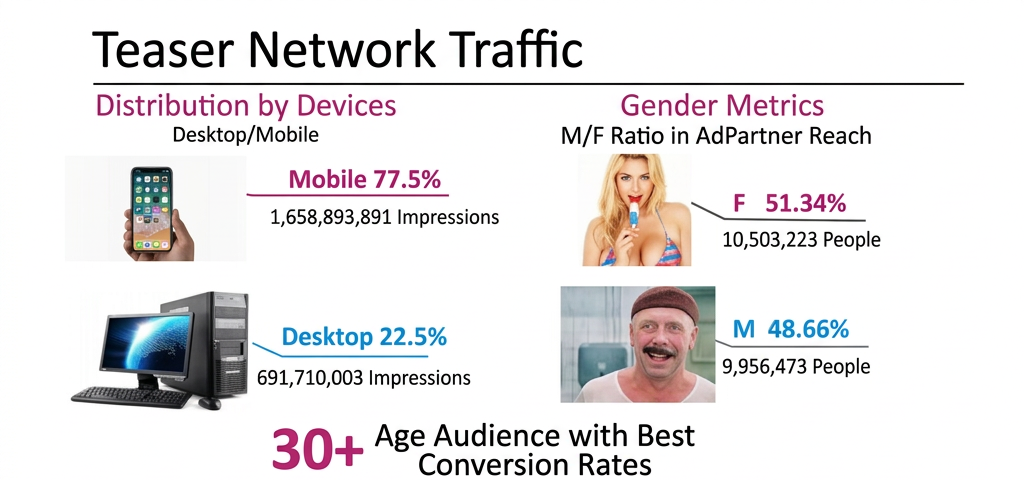
The AdPartner network is connected to more than 500 verified portals, including major Ukrainian news and entertainment outlets such as sinoptik.ua, ubr.ua, gazeta.ua, espreso.tv, strana.ua, vokrugsveta.ua, clutch.ua, liga.net, 24tv.ua, and others.
Geographic reach — 90% Ukraine, 10% — CIS countries, Europe, and the US.
AdPartner delivers more than 2 billion ad impressions per month and around 5 million ad clicks. That’s coverage of 94% of all Ukrainian internet users.
AdPartner guarantees that real people are clicking your ads — the network uses advanced anti-fraud technology to detect and block bot traffic before it reaches you.
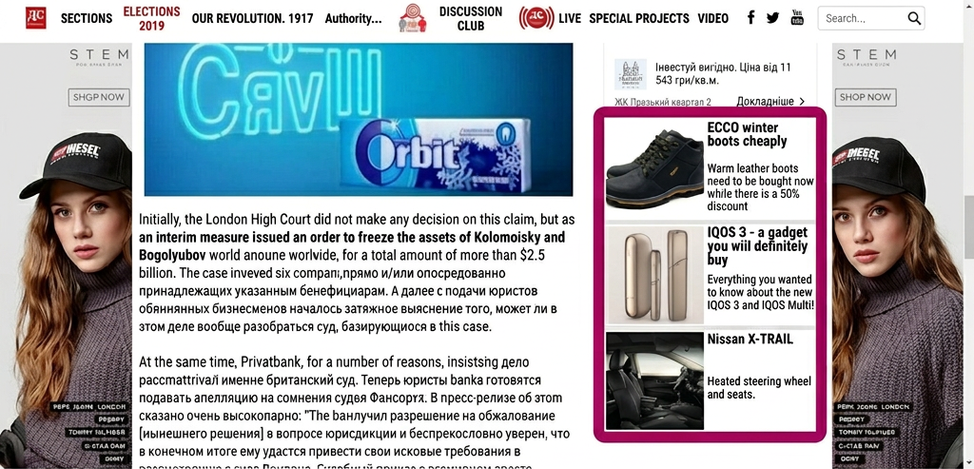
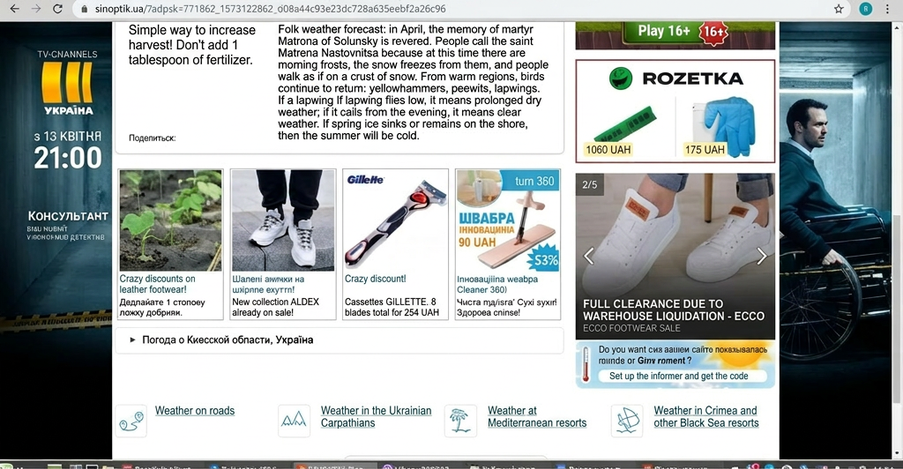
Sample ad block formats:
Targeting Options:
- Geo-targeting. Target specific regions and cities. Cities with a population of 50K+.
- Device, Browser, and OS Targeting. Focus your ads on the exact type of device you want to reach.
- Dayparting. Show your ads only in the morning or evening, during business hours or on weekends.
- Audience Targeting. AdPartner has built audience segments of users specifically interested in your offer — conversions from this targeting are typically 2–3x higher.
- Retargeting. Re-engage users who visited your site but didn’t convert.
- Whitelist and Blacklist. Use only the highest-performing sites for your ads.
Setting Up a Campaign:
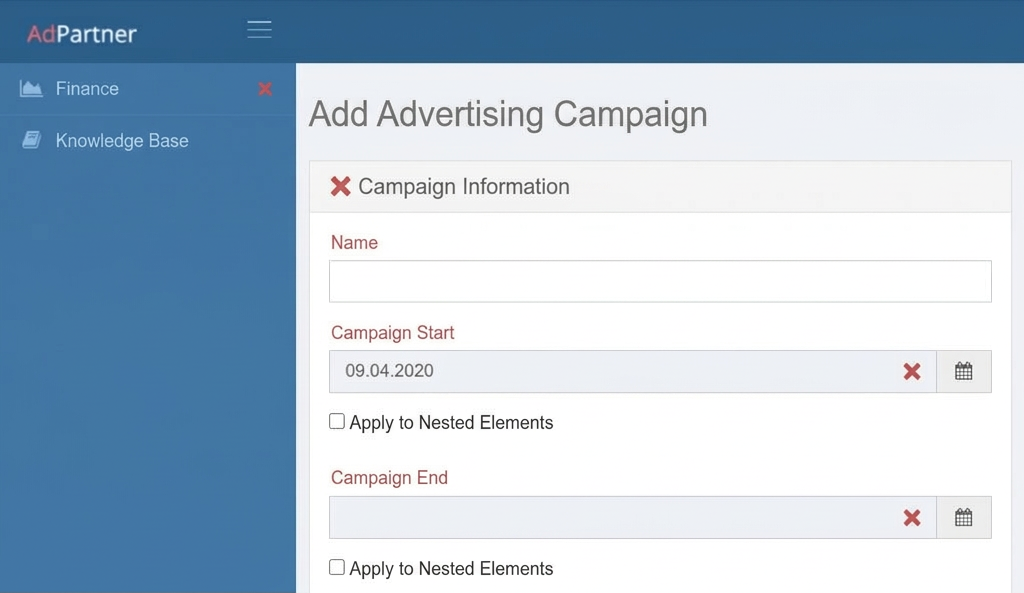
To create an ad campaign, you first need to register at cp.adpartner.pro/register/. Fill out the form and select “Advertiser.” Then contact AdPartner support. You can either set up campaigns yourself or have a network manager help. If you prefer to go solo, ask to be given “Self-Serve Advertiser” status — this will let you create campaigns independently.
To create a new campaign, follow these steps:
- On the campaigns overview page, click “Add Campaign”;
- Fill out the campaign settings form (bold fields are required):
- Campaign Name — give your campaign a clear, descriptive name. Any characters are allowed.
- Campaign Period — set a start and end date. Individual ad groups can have their own schedules, but they cannot extend beyond the campaign dates.
- Total Budget — specify the maximum you’re willing to spend on the campaign overall.
- Daily Budget Cap — the maximum you’re willing to spend per day. Default is “0” — unlimited impressions.
- Cost Per Click — set how much you’re willing to pay per click. You can also set individual CPCs at the ad level. Minimum CPC is 1.2 UAH. Multipliers allow you to adjust bids up or down based on individual site performance, helping you optimize your campaigns.
- Campaign Status — two options: “Active” (campaign is running) or “Inactive” (campaign is paused).
- Display Geography — specify where your ads should appear. By default, geography is set to “Ukraine excluding ATO and Crimea.” Ad groups can have individual geos, but they can’t extend beyond the campaign-level setting.
- Target Audience — at the ad group level, you can select audience segments that match your offer.
- Blacklist — exclude specific sites where you don’t want your ads to appear.
- Whitelist — restrict ad delivery only to sites you want to target.
- Click “Save” at the bottom of the page.
Moderation:
Once you create or edit an ad, it automatically goes into moderation (the only exception is changing the bid). A moderator reviews the ad for compliance with all requirements. If everything checks out, the ad becomes eligible for rotation in the ad network.
If the ad has issues, the moderator will reject it with specific reasons. Once you address the issues, the ad is resubmitted for review.
Common reasons for rejection:
- Ad headline exceeds 33 characters;
- Ad description exceeds 75 characters;
- Low-quality image, or the image doesn’t represent the ad’s content;
- Destination URL is broken;
- Display URL is incorrect;
- Ad duplicates a previously submitted one.
Moderation hours: Mon – Fri: 08:00 – 22:00, Sat – Sun: 09:00 – 21:00
Case Study:
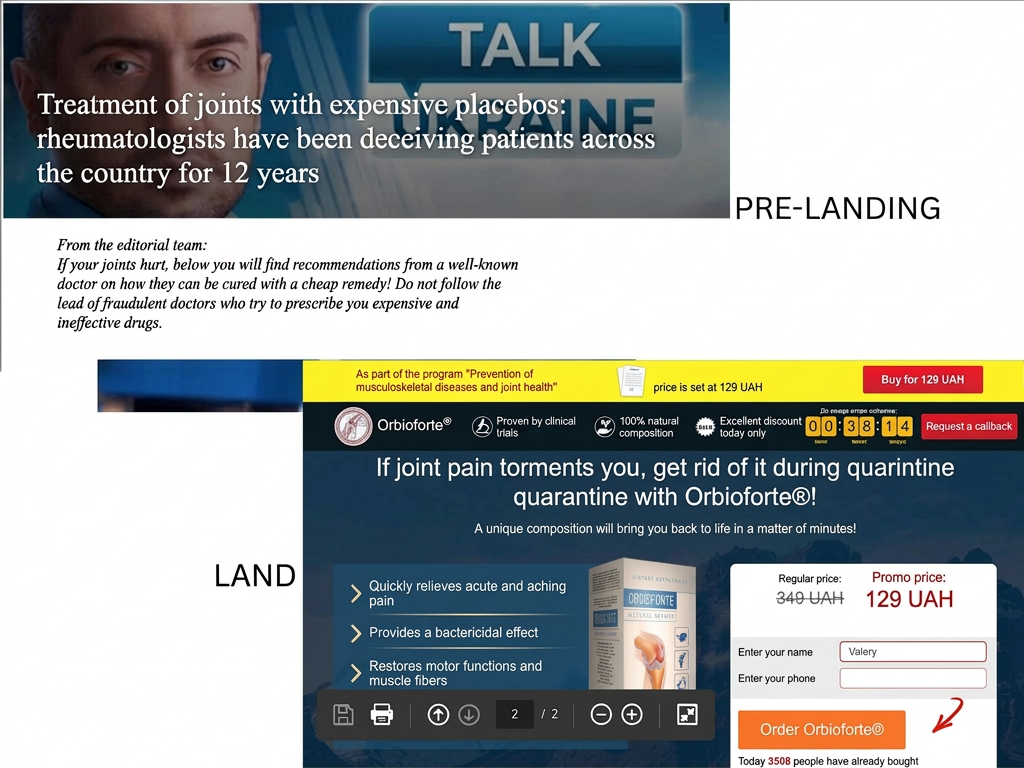
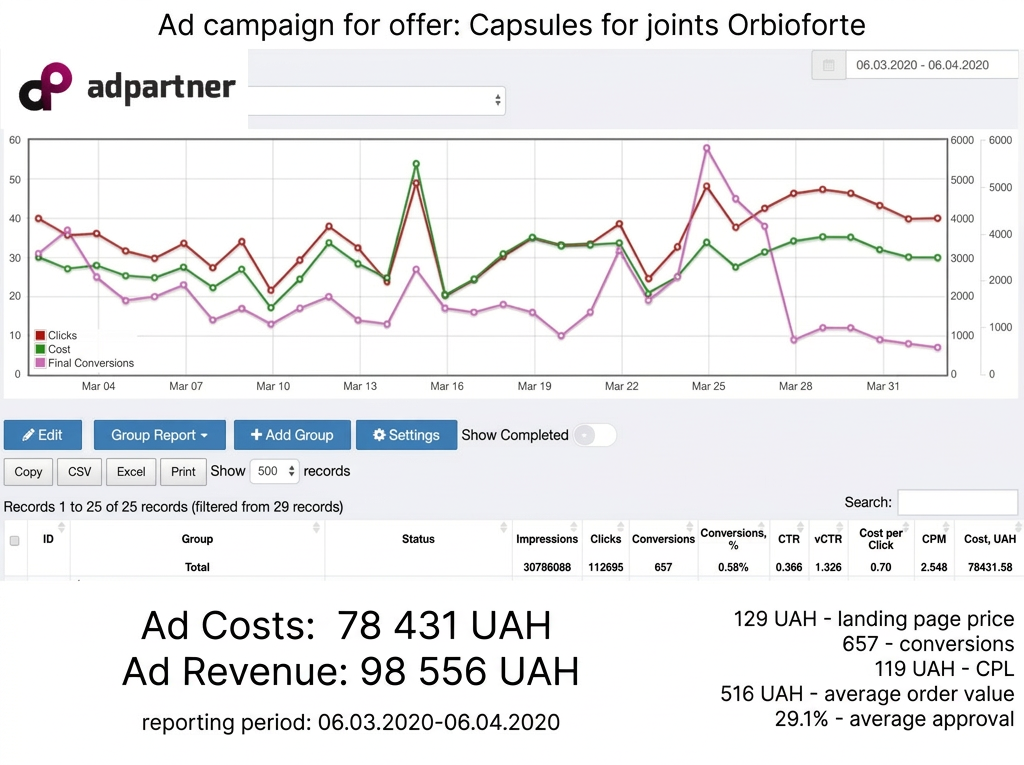
A mini case study from AdPartner running traffic to joint support capsules — as you can see, the traffic converts extremely well.
Conclusion:
AdPartner is a Ukrainian teaser network operating on a CPC model. What we liked: a high-quality buying audience, placement on top Ukrainian websites, zero bot traffic, support that can help with campaign setup, whitelist and blacklist controls, and retargeting. If you know how to work with Ukrainian traffic, go ahead and test AdPartner. There’s a huge volume of UA traffic at very competitive prices.
Get a 20% bonus from MADCPA on your first deposit when you register via the button below:




Discussion
0